
CCleaner – Phone Cleaner
PiriformTools
4.573.23K Reviews
- Version
- 26.12.2
- Installs
- 100.00M
- Age Rating
- Everyone
Screenshots
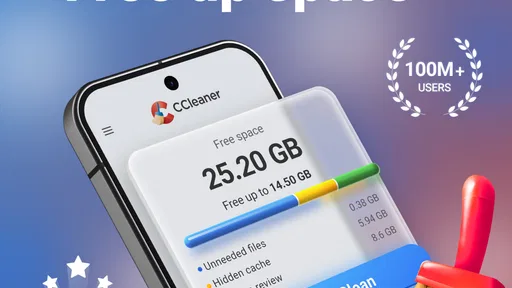
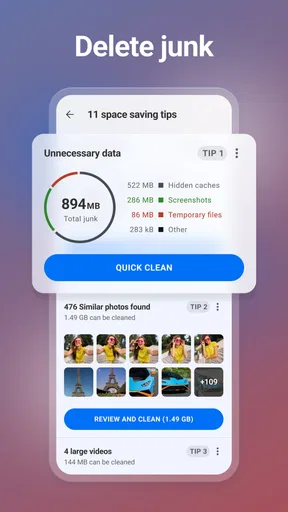
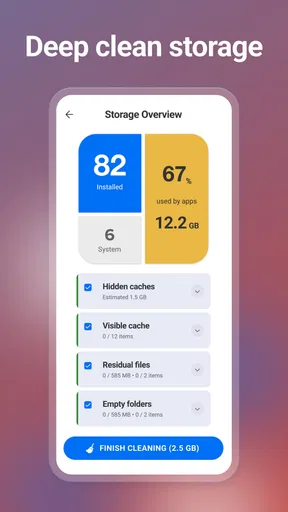
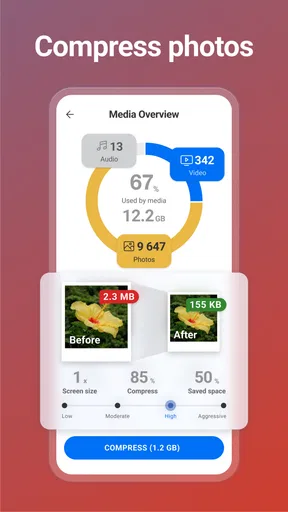
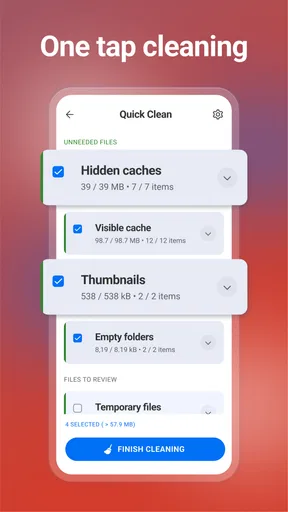
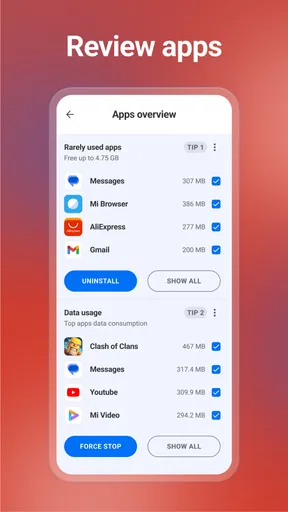
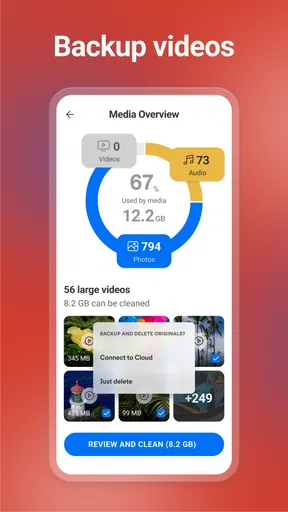
Our Review of CCleaner – Phone Cleaner
 Analysis by Appyee
So, I recently got my hands on CCleaner – Phone Cleaner, and let me tell you, it’s like giving your phone a fresh new breath of life. You know that feeling when your phone starts acting like it's got a mind of its own? Apps crashing, slow loading times, and that dreaded "storage full" message? Yeah, I was there too. But, this app? Total game-changer.
That said, I’ve learned to treat a cleaner as a helper, not a cure-all. When storage is tight, the useful question is not simply whether an app can find files to remove, but whether I understand what those files are and whether deleting them will actually solve the problem I’m seeing. Taking a moment to review a cleanup suggestion is a better habit than tapping through every prompt just to make the screen look tidy.
When the first clean does not fix the problem
A full-storage warning can make a quick scan feel like the obvious answer, but the biggest items on a phone are often personal photos, videos, downloads, or apps rather than disposable clutter. If a cleanup makes only a small difference, I would check the phone’s own storage view next and look at which categories are taking up room. That helps separate a cache problem from a collection of large files that need a different decision.
I also wouldn’t assume that a slow app or a crash proves the phone needs cleaning. A cleaner may help with clutter, but it cannot resolve every cause of poor performance. If one particular app is misbehaving, I’d first close and reopen it, check whether the issue continues, and consider whether its own data or a recent change is involved. This keeps me from deleting useful items in the hope of fixing an unrelated fault.
Getting Started with CCleaner
First off, installing CCleaner – Phone Cleaner was a breeze. It's available on both Android and iOS, so no one’s left out. Once you’ve got it up and running, the interface is super intuitive. No need to be a tech wizard to figure it out. Everything is neatly organized, with clear options for cleaning, boosting performance, and managing apps.
A Quick Clean-Up
Now, the main feature – cleaning. I tapped on the clean button, and in just a few moments, it identified all sorts of junk files cluttering my phone. Temporary files, cached data, and old APKs were just a tap away from being history. The best part? It’s not just about cleaning; it’s about doing it safely. Before it deletes anything, CCleaner shows you exactly what it plans to remove, which is great if you’re cautious like me.
My practical tip is to pause at that review step, especially if you’re clearing space before travelling, recording a video, or downloading something important. Read the categories and make sure the proposed cleanup matches your goal. Cached data can be recreated, but some files may be more meaningful than their category label makes them sound. If I’m uncertain, I leave the item alone and check the phone’s file or storage tools instead.
This is also where a cleaner differs from simply opening each app’s settings and clearing its cache. The built-in route can be more direct when I already know which app is responsible; CCleaner is more convenient when I want a broader overview. The trade-off is that a broad scan still needs my judgement. I’d rather make a smaller, deliberate cleanup than remove a category automatically without considering how I use the phone.
Performance Boost
After the clean-up, I noticed my phone felt snappier. But it didn’t stop there. CCleaner also offers a Performance Optimizer. This nifty feature lets you hibernate apps that are running in the background and sucking up your battery life. I was amazed at how many apps were secretly draining my juice. Once I put them to sleep, my battery life improved significantly.
I’d use that option selectively rather than hibernating everything that appears in a list. An app I rely on for timely updates may be less useful if it is prevented from doing background work, and a change in battery life can have more than one cause. A sensible test is to adjust only the apps I rarely need running, then use the phone normally and see whether anything important stops behaving as expected. That makes it easier to undo a choice if it causes friction.
For an everyday example, imagine I’m running short on space before a family event and want to keep taking photos. I can review the cleanup suggestions, remove items I’m comfortable losing, and then check the phone’s storage again. If the space is still mostly occupied by videos or apps, I know the next step is deciding what to move, keep, or uninstall—not repeatedly scanning for the same kind of junk. That distinction saves time and helps avoid expecting a cleaner to solve a storage problem it cannot address.
App Management and More
Managing apps can be a chore, but CCleaner makes it simple. It allows you to quickly uninstall apps you no longer need and even provides insights on which apps are data hogs. Plus, if privacy is your thing, it’s got a feature to securely erase browsing history and clipboard contents. It’s like having a digital housekeeper for your phone.
When I’m deciding what to uninstall, I’d treat usage or data clues as a starting point, not an instruction. A rarely opened app may still be important for travel, banking, work, or a device I use only occasionally. I’d confirm I know the account details and can get back into anything I remove before uninstalling it. That small check is particularly worthwhile for apps whose setup would be inconvenient to repeat.
The privacy tools also call for a little care. Clearing browsing history or clipboard contents can be useful on a shared device or after copying something sensitive, but it may remove information I still wanted to refer to. I’d use those actions for a clear reason rather than as part of an automatic routine. The same cautious approach applies to all cleanup tools: convenience is valuable, but control matters more when the content is personal.
CCleaner is a free tools app from Piriform, with in-app purchases ranging from $1.39 to $27.99 per item. Its average rating is 4.6 from around 3 million ratings, and it has over 100 million installs. It is rated for Everyone, was released on June 10, 2014, and its current version is 25.23.0, with Android 10 as the minimum operating system. I see those figures as context for how widely used the app is, not proof that every feature will suit every phone or every person.
“A clean phone is a happy phone,” they say, and I couldn’t agree more.
Wrap-Up: Is It Worth It?
Overall, I’d say CCleaner – Phone Cleaner is absolutely worth a shot if you’re looking to declutter your phone and keep it running smoothly. It’s easy to use, effective, and offers a comprehensive suite of tools for maintaining your device. Whether you’re tech-savvy or a casual user, this app makes phone maintenance painless.
I’d recommend it most to someone who wants one place to review clutter, app use, and maintenance choices without digging through several settings screens. If you already know exactly what is taking up space, the phone’s built-in storage manager or the settings for a specific app may be quicker and simpler. And if your main concern is an ongoing crash, weak battery, or a phone that remains slow after cleanup, I’d investigate that specific issue rather than keep running a cleaner and expecting it to fix everything.
For a low-risk routine, I’d scan when I have a reason, inspect the proposed removals, and check whether the result addressed that reason. I wouldn’t make cleaning a daily chore or treat every suggested action as necessary. That approach keeps the app useful as a maintenance aid while avoiding the familiar trap of optimizing for a tidy-looking scan instead of solving the problem that brought me there.
If you’re tired of your phone lagging or just want to keep things tidy, give CCleaner a try. Trust me, your phone will thank you.
Ready to clean up your act? You can find the download links for CCleaner – Phone Cleaner on our website. Get your phone back in shape today!
Verdict
Strengths of CCleaner – Phone Cleaner
- Efficient junk file removal.
- Boosts device performance.
- User-friendly interface.
- Customizable cleaning options.
- Quick analysis and scanning.
Limitations of CCleaner – Phone Cleaner
- Ads in the free version.
- Some features require premium.
- Occasional false positives.
- Limited deep cleaning options.
- May drain battery quickly.
Similar Picks in This Category
View All
Google LLC4.0

Gboard - the Google Keyboard
Google LLC4.5

Google Play services
Google LLC4.3

Google Play Store
Google LLC4.9

Files by Google
Google LLC4.5

SHAREit: Transfer, Share Files
Smart Media4U Technology Pte.Ltd.4.3
You May Also Like
View All

Frequently Asked Questions
What features does CCleaner – Phone Cleaner offer?
CCleaner – Phone Cleaner provides a range of features designed to optimize your device's performance. It includes junk file removal, app management, and system monitoring tools. The app helps free up storage by clearing cache, temporary files, and residual data. It also offers features to improve battery life and monitor CPU usage, making it a comprehensive tool for device maintenance.
Is CCleaner – Phone Cleaner safe to use on my device?
Yes, CCleaner – Phone Cleaner is generally safe for use on both Android and iOS devices. Developed by Piriform, the app has a solid reputation for maintaining user privacy and security. While using the app, it’s important to review permissions and settings to ensure they align with your privacy preferences. Regular updates also contribute to its security credentials.
Does CCleaner – Phone Cleaner support all Android and iOS devices?
CCleaner – Phone Cleaner is compatible with a wide range of Android and iOS devices. However, it’s essential to check the specific requirements listed on the app store to ensure compatibility with your device model and operating system version. Regular updates may introduce new features or compatibility improvements, so keeping the app updated is recommended.
Are there any costs associated with using CCleaner – Phone Cleaner?
CCleaner – Phone Cleaner is available as a free download, which includes basic features for device cleaning and optimization. For more advanced features, users can opt for a premium version through in-app purchases. The premium version offers enhanced functionalities, such as detailed performance monitoring and deeper cleaning capabilities, which may be beneficial for users seeking comprehensive device maintenance.
How does CCleaner – Phone Cleaner affect my device's performance?
CCleaner – Phone Cleaner is designed to enhance your device’s performance by removing unnecessary files and optimizing system resources. By clearing cache and junk files, the app helps free up storage space, potentially speeding up your device. Additionally, features like app hibernation and CPU monitoring can lead to better battery life and overall system efficiency, contributing to a smoother user experience.
